- Registration and app features for Online Casino mobile users
- Account creation and sign-in processes
- Common login difficulties and solutions
- Managing profile settings on mobile
- Mobile application and site features
- Comparing mobile access methods
- Essential mobile interface elements
- Games available for mobile users
- Types of mobile games to explore
- Optimizing game performance on a phone
- Deposits and withdrawals on the go
- Steps for mobile financial transactions
- What to check in the mobile cashier
- Responsible gambling and account controls
- Available tools for player protection
- Finding help and support via mobile
- Navigating the Online Casino experience
Registration and app features for Online Casino mobile users
The Online Casino platform offers various ways for players to engage with different types of gambling through mobile devices. Mobile users often look for specific ways to access these services via dedicated software or mobile-optimized web interfaces. This article examines the practical aspects of setting up an account and utilizing the features provided for those who prefer playing on the move.
Accessing the site Online Casino requires a clear understanding of the registration steps and the technical requirements for mobile performance. Users need to know how to manage their profiles, how to navigate the mobile interface, and what to look for when selecting specific games for a smaller screen. This guide focuses on the functional details of the mobile experience to help players navigate the process effectively.
Account creation and sign-in processes
Starting a new journey on the site involves a standard sequence of steps designed to establish a unique user profile. This process typically requires the input of personal details to ensure that the account remains linked to a single individual. While the steps might vary slightly depending on the specific interface, the core requirements remain consistent across most platforms. It is important to provide accurate information during this stage to avoid complications during later stages of account management.
Once the initial details are submitted, the system often requires a verification step to confirm the identity of the user. This might involve checking an email address or a mobile number to ensure the contact details provided are functional. After this step is complete, the user can proceed to create login credentials. These credentials, usually consisting of a username or email address and a password, allow for repeated access to the account across different devices.
Common login difficulties and solutions
Users may encounter several hurdles when attempting to access their accounts on a mobile device. One frequent issue involves forgotten passwords, which can be resolved by using the recovery link found on the login page. This link typically sends a reset instruction to the registered email address. Another common problem is an incorrect username, which often happens if a user confuses their email address with a unique handle created during the initial setup.
Technical glitches such as session timeouts or browser compatibility issues can also prevent a successful login. If the interface becomes unresponsive, clearing the mobile browser cache or restarting the application often resolves the conflict. Users should also check if their mobile data or internet connection is stable, as a weak signal can interrupt the authentication process. If these steps do not work, checking the official help section or contacting support is the next logical move.
Managing profile settings on mobile
The mobile interface allows users to manage their personal details with ease. From the account settings menu, players can update their contact information, change their passwords, or review their recent activity. It is a good practice to review these settings periodically to ensure all information remains current. This is especially important if a user changes their primary email address or phone number, as this can affect how notifications and security alerts are received.
Many platforms also include a section within the profile for managing preferences. This might include language settings, notification triggers, or display options tailored for mobile viewing. Adjusting these settings can significantly improve the usability of the site. Users should look for a dedicated settings icon, often represented by a gear or a person icon, to find these customization options. Being able to control these details directly from a phone provides a higher level of convenience for frequent users.
Mobile application and site features
When choosing how to access Online Casino, players generally decide between using a mobile browser or downloading a dedicated application. Each method offers different advantages depending on the device and user preference. The mobile-optimized website is highly accessible as it does not require any installation, making it suitable for users who do not want to occupy storage space on their phones. The application, on the other hand, is often built specifically for the mobile operating system to provide a more integrated experience.
The application version typically offers smoother transitions between game menus and faster loading times for individual titles. It can also provide direct access to the home screen via an icon, bypassing the need to type a web address every time. However, the choice between a browser and an app often comes down to the specific features offered by the operator. Some features might be exclusive to the application, while others are standard across all mobile entry points.
Comparing mobile access methods
| Feature Type | Mobile Browser | Mobile Application |
|---|---|---|
| Installation Requirement | None required | Requires download |
| Storage Usage | Minimal to none | Uses device memory |
| Navigation Speed | Standard | Often faster |
| Update Process | Automatic via web | Manual or via store |
Essential mobile interface elements
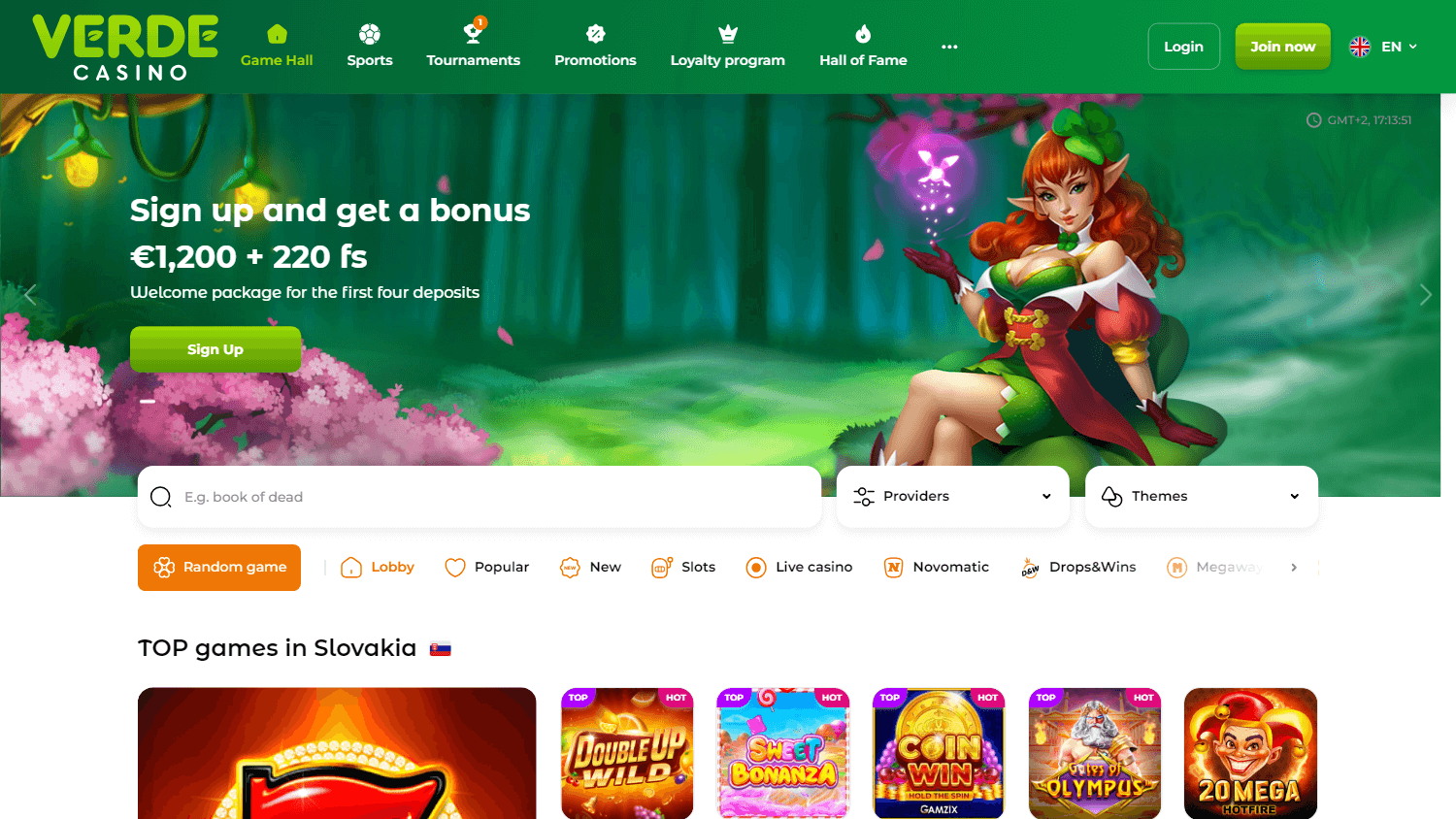
A well-designed mobile interface must prioritize ease of navigation due to the limited screen real estate. Users should look for a clear menu structure that allows them to switch between different game categories without excessive scrolling. Common elements include a search bar for finding specific titles, a categorized list of slots or table games, and a prominent button for accessing the cashier. The placement of these elements is crucial for a seamless experience on a touch-screen device.
Another important aspect is the responsiveness of the interface. This means that the layout should adjust automatically to different screen sizes, whether the user is on a small smartphone or a larger tablet. High-quality mobile platforms ensure that buttons are large enough to be tapped accurately and that text remains legible without zooming. Players should check if the interface feels intuitive and if they can reach the most important sections, such as the account profile and the help center, with minimal effort.
Games available for mobile users
The variety of games available on a mobile device is a significant factor for many players. Most modern platforms ensure that their entire library is accessible through mobile platforms, although the presentation may differ. Slots are particularly well-suited for mobile play because they typically utilize a vertical or horizontal orientation that fits well on a phone screen. The visual elements and animations are optimized to look sharp even on smaller displays, ensuring the experience remains engaging.
Beyond slots, live-dealer games have become increasingly popular on mobile. These games rely on a high-quality video stream to show real-time action from a studio. For these to work effectively on a mobile device, the platform must offer a stable streaming interface that can adapt to varying internet speeds. Players should check the game descriptions to see if they are labeled as mobile-friendly, which can be an indicator of how well they will perform on a handheld device.
Types of mobile games to explore
- Classic video slots with standard reels and symbols
- Modern video slots featuring complex bonus mechanics
- Live table games with real human dealers
- Instant win games designed for quick sessions
- Progressive jackpot titles that connect to a network
Optimizing game performance on a phone
To get the best experience when playing games on a mobile device, certain steps can be taken to ensure stability. First, players should ensure they are connected to a reliable Wi-Fi network rather than a fluctuating mobile data signal. A consistent connection is vital for live-dealer games where any lag can interrupt the flow of the session. Second, closing other heavy applications running in the background can free up device resources, allowing the game to run more smoothly.
Another tip is to check the device settings regarding battery saving modes. Some phones limit processing power when the battery is low, which can cause games to stutter or lag. If a player finds that a specific game is not loading correctly, they might try refreshing the page or restarting the application. It is also helpful to keep the mobile operating system and the game application updated to the latest versions to ensure compatibility with the newest game releases.
Deposits and withdrawals on the go
Managing finances through a mobile device is a core part of the user experience. The cashier section on a mobile site or app must be easy to navigate, with clearly labeled buttons for making deposits and requesting withdrawals. Since mobile users are often in different environments, the ability to quickly check account balances and transaction history is essential. The interface should display current transaction statuses clearly so players know if a request is pending or completed.
When making a deposit, users should look for the variety of methods available and ensure that the chosen method is compatible with their mobile device. For example, some methods might require a separate app to authorize the transaction. It is important to check the cashier for any specific instructions regarding limits or fees associated with certain methods. This allows for better planning of how much is being moved into the account and how it will be managed during play.
Steps for mobile financial transactions
- Log in to the account via the mobile browser or application
- Navigate to the cashier or wallet section of the interface
- Select the desired method for deposit or withdrawal
- Enter the required amount and confirm the transaction details
- Verify the transaction through the chosen method's prompt
What to check in the mobile cashier
Before committing to a transaction, players should take a moment to review the details presented in the cashier. Even on a small screen, it is possible to see the necessary information to make an informed decision. This includes checking the minimum and maximum amounts allowed for a single transaction. It is also wise to look for any information regarding processing times, although these can vary depending on the method used. Understanding these details helps prevent frustration when waiting for funds to appear or leave the account.
Furthermore, players should verify that the method they are using aligns with their current device capabilities. If a method requires a physical token or a specific type of authentication that is difficult to manage on a phone, it might be better to choose a different option. Checking the terms and conditions related to payments is another step that can be done via the mobile site to ensure all rules are understood. Being proactive about these checks ensures that the financial aspect of the experience is as smooth as possible.
Responsible gambling and account controls
Responsible gambling is a critical component of any platform, and mobile users must have easy access to these tools. Most sites provide a dedicated section for responsible gaming where players can find information on how to stay in control. This includes settings that allow a user to limit their activity. Having these tools readily available on a mobile device is important because it allows for immediate action if a player feels they are spending too much time or money on the platform.
The tools provided are generally designed to help players set boundaries. These might include limits on how much can be deposited or how long a session can last. By setting these limits in advance, players can create a more structured approach to their activities. It is important to note that these settings are usually permanent for a set period, so they should be chosen carefully. Accessing these controls should be as simple as navigating to the account or responsible gambling menu.
Available tools for player protection
- Deposit limits to control the amount of money spent
- Loss limits to set a maximum threshold for spending
- Session reminders to track time spent on the site
- Break periods to encourage time away from the platform
- Self-exclusion options for a complete pause in activity
Finding help and support via mobile
If a player needs assistance, the mobile interface should offer easy access to customer support. This is often done through a live chat feature, which is particularly convenient on a phone. Other methods might include email or a dedicated help center with frequently asked questions. When using live chat on a mobile device, players should ensure they have a stable connection to prevent the chat from disconnecting mid-conversation. Being able to reach out for help directly from the device provides a layer of support that is essential for a controlled experience.
It is also helpful to look for links to external organizations that specialize in gambling support. Most reputable platforms include these links in their footer or within the responsible gambling section. These organizations can provide professional guidance and resources for anyone who needs them. Using the mobile device to quickly access these resources can be a proactive step in maintaining a healthy relationship with gaming. Players should always know where to find this information before they begin their session.
Navigating the Online Casino experience
When using Online Casino, players should focus on understanding the specific features of the mobile platform they are using. Whether it is the speed of the application or the ease of the mobile browser, knowing how to navigate the interface will lead to a more efficient experience. Always take the time to explore the menu structures and locate the cashier and help sections before engaging in any activity. This preparation helps in managing both the gameplay and the account administration effectively.
A proactive approach to account management and setting limits is the best way to use a mobile device for gaming. Check the terms and conditions for any mobile-specific rules and ensure your device is optimized for the best possible performance. By staying informed about the available tools and the way the site functions on a handheld device, players can better navigate the various options provided by the operator. Focus on the practical details of the interface to ensure a smooth and controlled mobile experience.